
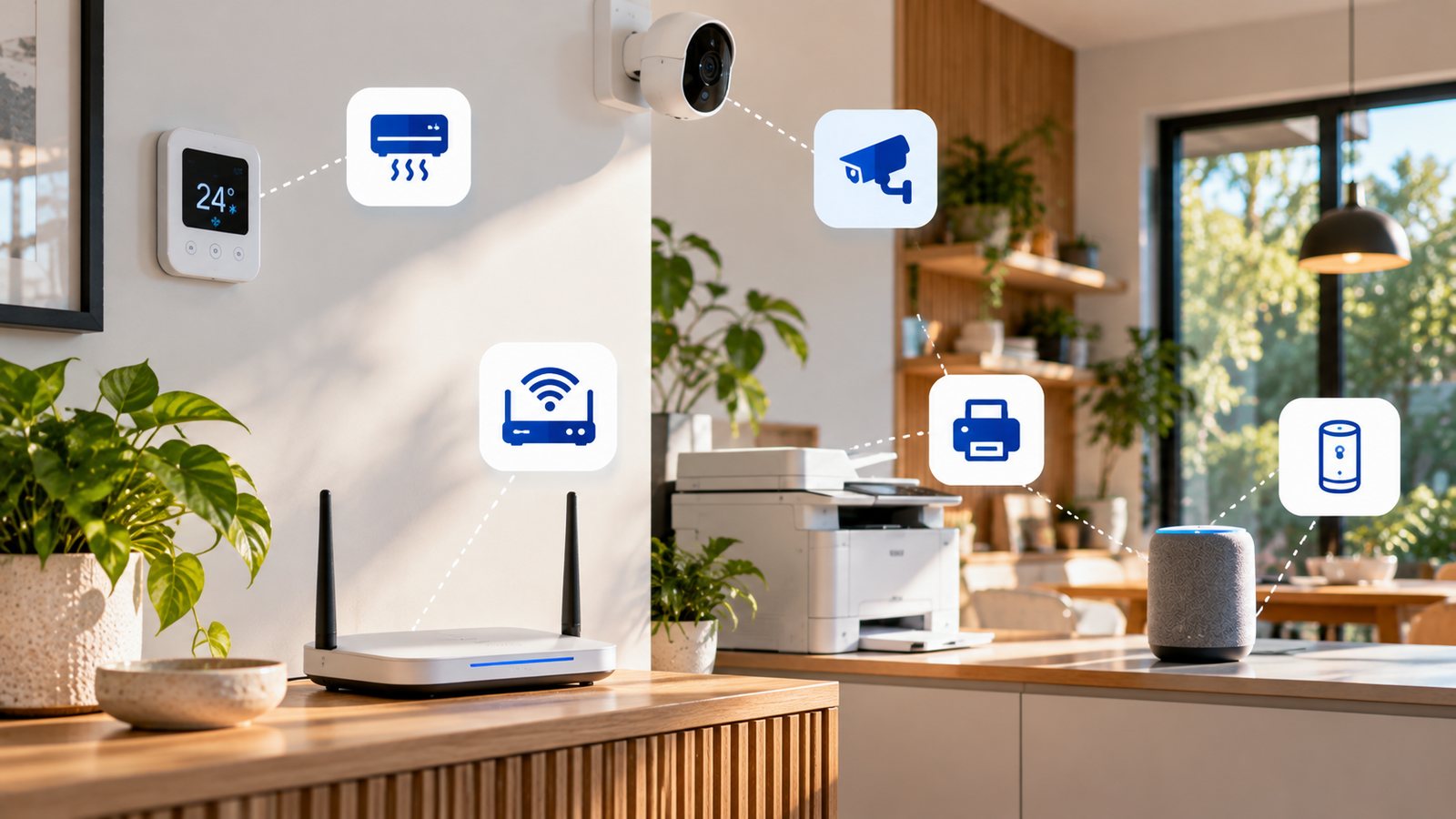
It's still Cyber Security Awareness Month, and there's a category of device most small businesses have never thought to secure: the smart ones. A networked printer, a security camera, a smart thermostat, the voice assistant in the meeting room — none of these feel like "technology" in the way a laptop does, so they rarely get a password changed, a firmware update applied, or a second thought. That's exactly why they're worth fifteen minutes of attention this month.
What "IoT" Actually Means
IoT stands for the Internet of Things — a slightly technical name for a simple idea: everyday objects that connect to the internet (or to a home or business Wi-Fi network) so they can be controlled remotely, send back data, or talk to an app on your phone. If a device has an app, a voice command, or a "connect to Wi-Fi" step during setup, it's an IoT device.
It's a much bigger category than it sounds. A smart TV, a doorbell camera, a printer that emails scanned documents, and a thermostat that learns your schedule are all IoT devices, right alongside the more obviously "smart" gadgets like speakers and robot vacuums.
Examples: What This Actually Looks Like in a Small Business
A typical small business — in the office or run from home — is likely to have several of these connected without really registering them as part of the network:
- Networked printers and scanners, especially ones that scan-to-email or scan-to-folder
- IP security cameras and video doorbells, around an office, shopfront, or home entrance
- Smart thermostats and climate controllers
- Building access systems, keypad or fob-based door locks, and alarm systems
- Smart speakers or displays, in a meeting room or at a reception desk
- EFTPOS and point-of-sale terminals, where payments are taken
- Smart power boards and plug timers, used to switch other devices on and off
And if the business is run from home, the list extends into the rest of the house — smart TVs, voice assistants, robot vacuums, baby monitors — all sharing the same network as the laptop that handles the books.
Why IoT Security Actually Matters
The risk with a smart device is rarely the device itself — it's what it can reach. Most IoT devices are built for convenience first, not security: many still use a default password out of the box, go months or years without a firmware update, and quietly advertise their presence on the network so other devices can find them.
None of that matters much on its own. What matters is that these devices usually sit on the same network as the computers, accounts and files that actually run the business. A criminal who gets into a forgotten, unpatched camera or printer isn't after what's on that device — they're using it as a stepping stone to move sideways across the network toward something worth more: a laptop, a shared drive, an accounting system, or the business email account itself. A password manager and multi-factor authentication protect accounts; they don't do anything to stop a compromised device already sitting inside the network from being used as a launchpad.
Does This Matter More If You Work From Home?
If anything, working from home raises the stakes rather than lowering them. An office network, even a small one, usually has at least some separation between systems. A home network typically has none at all — the same Wi-Fi router connects a work laptop, a personal phone, a smart TV, a voice assistant, a robot vacuum, and possibly a baby monitor or video doorbell, all talking to each other with no business-grade protection in between. A single insecure smart device at home is sitting on the exact same network as the laptop handling client emails and business banking.
What's Actually Worth Doing About It
None of this requires replacing every smart device in the building. A genuinely useful starting point:
- Know what's actually connected. A quick walk-through — physical or just mental — of what's plugged into Wi-Fi is often more revealing than expected. You can't secure a device you've forgotten exists.
- Change every default password, and keep each device's software or firmware updated — turn on automatic updates where that's an option.
- Keep smart devices off the main business network. A separate guest Wi-Fi network at home, or a dedicated network for IoT devices in a small office, means a compromised smart device can't simply walk sideways onto the computers and accounts that matter.
- Turn off what you don't use. A camera's microphone, a smart speaker always listening, or a printer's remote-access feature that's never actually used are all reduced risk simply by being switched off.
- Buy from manufacturers who keep updating their products. A device that stopped receiving security updates years ago is a liability no matter how useful it still is — that's worth checking before the next purchase, not after something goes wrong.
Common Questions
What does IoT actually mean? IoT stands for "Internet of Things" — everyday objects, like a thermostat, a doorbell or a printer, that connect to the internet or a home/business network so they can be controlled remotely or send back data. Anything with an app that controls it is almost certainly an IoT device.
What are some common IoT devices in a small business? Networked printers and scanners, IP security cameras, smart thermostats, building access or alarm systems, smart speakers or displays in a meeting room, and EFTPOS or point-of-sale terminals are among the most common in a small business setting.
Why are IoT devices a security risk if I'm not storing anything sensitive on them? The device itself usually isn't the target — it's used as a stepping stone onto the rest of the network. A compromised camera or printer with a weak or default password can give an attacker a foothold to reach the computers, accounts and data that actually matter.
Does this matter if I work from home? Yes, often more so — a home network usually has no separation at all between work laptops and personal smart devices like TVs, speakers, robot vacuums or baby monitors, all sharing the same Wi-Fi with no business-grade protection in between.
What's the single most useful thing a small business can do about IoT security? Put smart devices on a separate network from the devices used for actual work — a guest Wi-Fi network at home, or a separate network/VLAN in a small office — so that a compromised smart device can't reach business computers, accounts or files.
Where to Next
Smart devices are one more thing worth reviewing this Cyber Security Awareness Month, alongside the basics covered in It's Cyber Security Awareness Month: Practical Steps That Can Save Your Business — multi-factor authentication, tested backups, and knowing who still has access to what.